
Donation campaigns (PayPal)
Connect PayPal, create a campaign with a goal and milestones, approve the sample campaign, follow and export donations received.
Updated on Oct 5, 2026, 1:36 p.m.
On this page
In short. Donations go through your PayPal Business account. A campaign only collects money when it is open, approved and within its dates. Donations do not depend on any license.
Connect PayPal #
- You need a PayPal Business account (a personal account converts for free).
- On
developer.paypal.com, Apps & Credentials: pick Live (real payments) or Sandbox (tests). - Create App, Merchant type. Copy the Client ID and the Secret key.
- In Agora: Administration → Configuration → Payments, paste them choosing the same Environment, then Save.
No webhook to set up to collect: payment is captured when the donor comes back. The same credentials also serve real-money dealership sales. For Agora to pick up a refund made at PayPal, add the webhook below (optional, recommended).
Refunds made at PayPal (webhook) #
Without a webhook, a donation refunded in the PayPal dashboard stays Received in Agora. For Agora to pick up a refund, a chargeback or a dispute:
- On
developer.paypal.com→ your application → Webhooks → Add Webhook. - Paste the address
https://your-site/api/paypal/webhook(the "?" of the Webhook ID field gives it, with your address). - Tick Payment capture refunded, reversed, denied, completed, Customer dispute created and resolved. The completed event is for dealership sales: a PayPal payment that stayed "pending" and is then collected is delivered automatically (see Redeliver, refund, take back a vehicle).
- Copy the Webhook ID into the field of the same name in Administration → Configuration → Payments. Without that ID, Agora refuses everything that arrives at this address.
The ID belongs to one environment (Sandbox or Live): when you switch environment, Agora clears the old ID and tells you. Paste the one from the new environment's webhook. Under the field, Agora shows the webhook state: last valid event received, or, in red, events refused (wrong ID or wrong environment).
Every event is verified by PayPal itself (signature) and processed only once:
- a refunded donation becomes Refunded and leaves the campaign totals (a denial of a donation never collected makes it Failed);
- a dealership sale paid through PayPal is marked refunded, stock comes back and the vehicle is taken back: see Redeliver, refund, take a vehicle back;
- a partial refund of a donation reduces the amount counted: the donation stays Received, but the totals (Donations page, home page) only count the part not given back, in proportion to the net amount collected. Several partial refunds add up, and refunding the full amount amounts to the full refund above. The donation list shows Partly refunded: …;
- a partial refund of a dealership sale records the amount given back on the sale's row and warns administrators, but never takes the vehicle back: see Redeliver, refund, take a vehicle back;
- an open dispute changes nothing (the money is only held), but the administrator is warned and the action is recorded in the administration log.
The amount, currency and capture of a partial refund are read again at PayPal. At the slightest doubt (different currency, total reaching or exceeding the amount paid, donation never collected…), nothing is changed and a "to check in PayPal" notification is sent. Each refund is counted only once, even if PayPal sends it again.
If nothing shows up after a refund: A refund made at PayPal does not show up.
Create a campaign #
Donations → New campaign:
| Field | Detail |
|---|---|
| Title, Description | What donors see |
| Goal | 0 = no goal |
| Currency | CAD, EUR, USD, GBP, CHF or AUD, per campaign |
| Minimum donation | Between 1 and 1,000, in the campaign's currency. For a donation in another currency, it is compared with the converted estimate (European Central Bank rate), on the server |
| Start, End | Optional |
| Milestones | One per line: 100 | Hosting paid for 3 months |
| Open for donations, Anonymous donations allowed | Checkboxes |
The sample campaign #
Installation creates a "Fund the server" campaign awaiting review: it does not appear on the Donations page and accepts no payment until you have reviewed it. Edit it then Save, or click Approve as is.
Follow donations #
The Donations received list (a panel of the Donations page, for administrators only) shows amount, donor, date and status (Pending (PayPal), Received, Refunded, Failed). The name behind an anonymous donation is never shown, not even to you; a signed-out donor appears as "Signed-out visitor". The two filter lists (campaign, status) apply as soon as you pick a value, with no button.
If the server requires staff 2FA and yours is missing, the Donations page shows you the screen that explains what to do instead of these admin tools (like the rest of the administration); the public still sees the campaigns.
The estimate in another currency comes from European Central Bank rates, kept for a day. If the ECB cannot be reached from your server, the estimate disappears and Agora only retries every 10 minutes.
Export as CSV downloads a dons_YYYY-MM-DD.csv file that follows the filters you chose: date, campaign, amount, currency, status, donor, message, PayPal reference, counted amount and counted currency. Good to know:
- the export is for administrators only (with staff 2FA if it is required) and it is logged in the admin journal;
- it stops at 20,000 rows (most recent first): a cut file is named
dons_YYYY-MM-DD_partiel.csvand the cut is noted in the administration log. Then filter by campaign or by status to get the rest; - the name behind an anonymous donation is not in the file either.
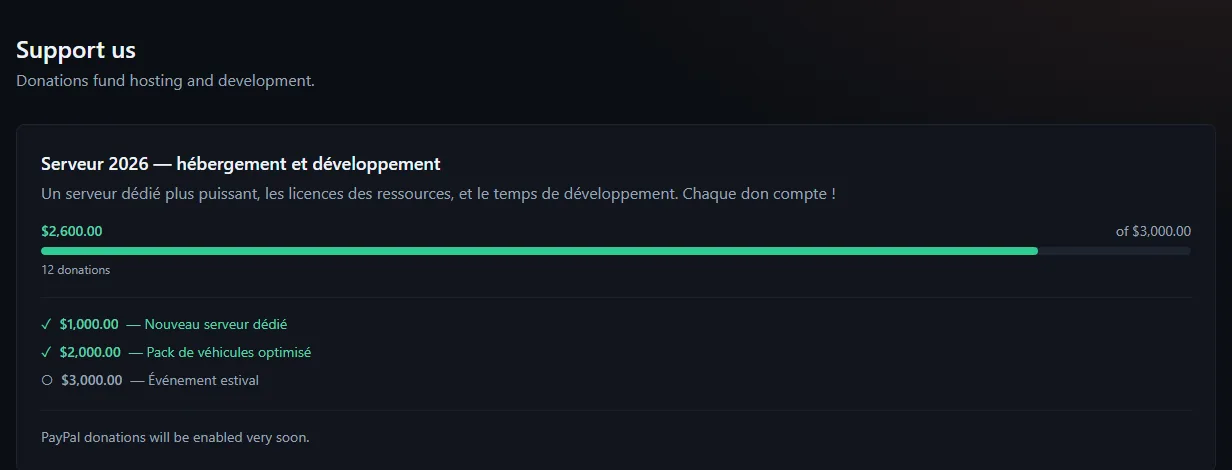
A campaign's total (raised, progress bar, milestones) only adds up received donations, using the amount captured by PayPal in the campaign's currency. A donor can pay in another currency offered by the form: if PayPal converts the donation into the campaign's currency, the converted amount counts (a "Counted: …" line shows in "Donations received"). If PayPal captures it in another currency (for example a PayPal account held in another currency), the donation is tagged Other currency, stays in the list and the export, but does not count toward the total; the thank-you page tells the donor so too. Changing the currency of a campaign that already has donations converts nothing.
When PayPal does not answer (5xx error, timeout) #
Every call to PayPal is limited to 10 seconds. A PayPal outage never breaks the page:
- When donating: if PayPal cannot open the order (outage, 5xx error, rejected keys), the donor reads "The payment could not be opened with PayPal. Try again in a moment." on the Donations page. Nothing is charged and no donation is recorded. The technical detail goes to the error reports (Administration → Errors page). If it happens on every try, check the Client ID, the Secret and the Environment in Administration → Configuration → Payments.
- When the donor comes back from paying: if PayPal is down at that moment, they see "Payment not completed". The donation stays Pending (PayPal), it is not marked Failed. Once PayPal answers again, reopening that same return link (the "Payment not completed" page reloaded, or the link from the browser history) replays the capture, with no risk of a duplicate. Only a definitive refusal from PayPal turns the donation to Failed.
- For collecting, there is no webhook: Agora takes the money (PayPal's "capture") when the donor comes back: until that step has happened, PayPal has charged nothing. A donor who closes the tab before the thank-you page therefore leaves a Pending (PayPal) donation that was never charged; if they still want to give, they start again.
Other refusals a donor can read: "Too many donation attempts" (10 per hour per address), "Campaign unavailable" (closed, awaiting review, outside its dates, ended or archived), "The minimum donation is …" and "The maximum donation is …" (100,000 per donation).
End or archive #
- End closes the campaign to donations; Reopen puts it back in service.
- Archive hides it from the public (home page and Donations page) and files it under Archived; Unarchive undoes it at any time.
- A campaign can no longer be deleted, and donations received are never erased: they are the server's accounting.
- Dates are read in the server's time zone: a campaign opens at 00:00 on the start day and closes at 23:59 on the end day. The time zone is set in MDT → Settings.
Notify a Discord channel #
There is no webhook event for donations. Campaigns stay visible on the Donations page and in a home page block.
Was this article helpful?
Related articles
- Site settings and the home pageAdministration → Configuration applies everything live: name, logo, language, public address, theme, Discord, payments, security, map, portal, dealership and tablet.
- Outgoing webhooksNotify a Discord channel (or an integration) on every application, warrant, BOLO, leave request, thread, update or purchase.
- The administration logWho did what, when and from which address: sensitive settings, members, moderation, databases, backups, license; filterable and exportable.