
Discover Agora: what it does and how it fits together
Agora brings your FiveM community forum and an MDT connected to your game server together in a single site, the Hub, that you install yourself.
Updated on Oct 4, 2026, 5:45 p.m.
On this page
In short. Agora is a site you install yourself, the Hub. It brings together your RP community forum and the roleplay tools (MDT, dispatch, live map, HR, court…), connected to the real database of your FiveM server. You install it at your place or at your host, and the forum stays free.
<!-- REFAIRE C-003 : la capture ci-dessous date du 28/09, à reprendre sous le même nom de fichier -->
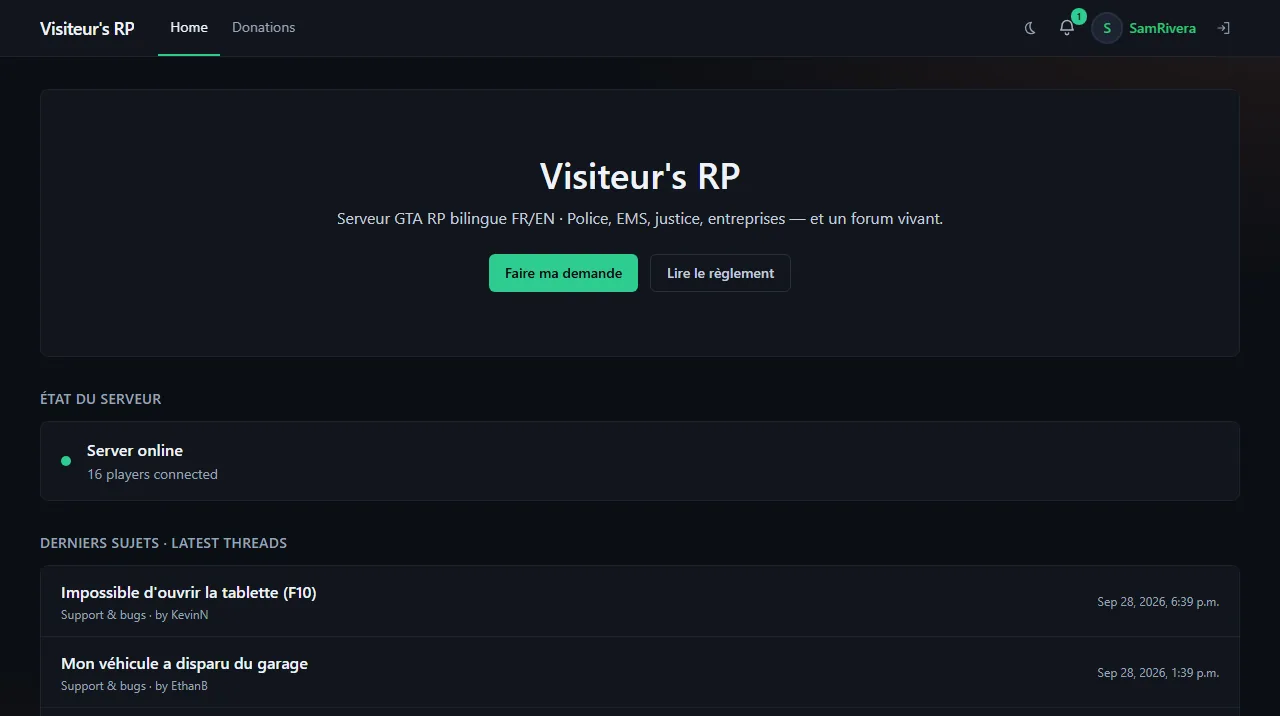
Agora in three parts #
- The Hub: your own Agora site, installed at your place or at your host. It is what your players and your staff open. Throughout the documentation, "the Hub" means this site, never agorapanel.com.
- The agorapanel.com website: run by us. You buy your license there, download your install files and find support. A service there checks your key and hands out updates: the license server.
- The
agoraFiveM resource: an extension you drop on your game server (your FiveM server). It opens the tablet in game and tells the Hub who is online.
The technical words of the documentation (panel, egg, Docker…) are explained in the glossary.
Where the Hub runs #
Three possibilities, which give the same product:
on a machine of your own (a rented server or a NAS) with Docker, a tool that runs a program inside an isolated box;
on your host's panel (Pterodactyl or Pelican), the website where you manage your game servers, by importing a file called an "egg";
on an ordinary host's Node.js server, by dropping a single file on it.
To know which one suits you, see Choose between Docker, the panel egg and a Node.js server.
Who talks to whom #
<!-- CAPTURE C-001 -->
- The Hub keeps its information (members, forum, applications, settings) in its own database, which it provides and manages by itself.
- The Hub reads characters, jobs and vehicles in your game server's database (ESX, QBCore or Qbox). Nothing to type twice. These two databases are different: see The two Agora databases.
- The FiveM resource sends player presence to the Hub and opens the tablet.
- The Hub talks to Discord for your members' sign-in and, if you want, for the bot.
- The Hub contacts the license server to validate your key and download updates.
What Agora does #
| Part | What you get |
|---|---|
| Forum | Sections, threads, reactions, attachments, notifications, search, moderation with reports and archives |
| Applications | Forms (whitelist, police…), timed exam graded automatically, a review queue for staff |
| MDT | The departments' on-board computer: citizen records, warrants, BOLOs, arrests, reports, medical records, penal code, booking photos |
| Dispatch | 911 call queue and on-duty units (in-game 911 is disabled by default) |
| Live map | Live position of units, for staff and, if you want, for colleagues of the same job |
| Roster and HR | Duty hours taken from in-game presence, ranks, leave, activity tracking |
| Court and fleet | Court cases, criminal record, department vehicle fleet |
| Player area | My account shows the character, account security and application; the home page gives access to classifieds, the paper and the dealership |
| In-game tablet | The site opens inside FiveM, already signed in with the loaded character |
How it works day to day #
- Every sign-in goes through Discord: there is no password to create.
- Characters are read live from your game server's database.
- The tablet opens in game with the
/agoracommand or the F2 key. To see it without launching the game, Administration → Configuration → Agora resource offers the In-game preview (tablet) button.
<!-- CAPTURE C-002 -->
- Updates install in one click from the admin area, with a database backup first.
What never stops #
The forum always stays open, even without an active license. Only the MDT and the Pro tier features depend on the license. No data is deleted when a license stops. See The Basic and Pro tiers.
Go further #
- You want to install Agora: follow Your first day with Agora.
- You want to know what you need first: Requirements.
- You hesitate between Docker and a panel: Choose between Docker, the panel egg and a Node.js server.
Version described #
This documentation describes Agora 0.2 (beta) and the FiveM resource 0.3. The exact version installed at your place is shown in Administration → Agora.
Was this article helpful?
Related articles
- Your first day with Agora: the steps in orderFrom an empty machine to a tablet working in game: the steps in order, each with its article and the sign that it is done.
- Check the requirements before installing AgoraA place to run Agora (Docker, a panel or a Node.js server), a license key, outbound HTTPS access and a Discord account; the game database only for the MDT.
- Choose between Docker, the panel egg and a Node.js serverDocker if you have a machine of your own, the Pterodactyl or Pelican egg if your host gives you a panel, an agora.mjs file if you only have a Node.js server: all three give the same product.
- The two Agora databases: the Hub's and the game'sYour installation uses two databases: the Hub's (PostgreSQL, provided and managed by Agora) and your game server's (MySQL or MariaDB, which you already have).
- Glossary: Agora's technical words, explained simplyHub, panel, egg, Docker, PostgreSQL, framework, lease: every technical word in the documentation defined in a sentence or two, by topic.
- The Basic and Pro tiersBasic opens the MDT and every roleplay tool, Pro adds the panel, the console, the database explorer and the beta channel, and the forum always stays free.