
Organise the forum: categories and sections
The structure is edited right on the forum, in edit mode: a draft, then Apply sends everything at once.
Updated on Oct 5, 2026, 1:36 p.m.
In short. On the section list, an administrator sees the Edit button (next to the forum title). The page stays the same, with extra controls. Nothing is saved before Apply.
Edit the structure #
Open the forum (the home page, or the "forum sections" block of a composed home page).
Click Edit.
Make your changes:
Action How Rename, change the description In place. Title: 80 characters, description: 300 Move up or down ↑ ↓ buttons, or drag and drop with the mouse Move a section to another category "Move to…" menu or drag and drop Add a category or a section "New category" or "Name of the new section" field, then Add. The address comes from the title Lock a section "Locked" box: nobody posts there any more, except staff Delete a category Only if it no longer contains any section Delete a section Only if it contains no thread, archived ones included: move its threads first Check the bottom bar: it counts the changes (Undo reverts the last step, Discard drops the whole draft, Apply sends it). Every touched item is tagged (New, Changed, Moved, Will be deleted).
Click Apply.
It is all or nothing: if one change is refused, none is written, the draft stays and the error shows next to the item. If another administrator changed the structure in the meantime, Agora refuses and offers to reload.
Advanced settings of a section #
Each section has an Advanced settings link:
- Address (slug): the public address of the section. Changing it breaks links already shared. The word
rechercheis reserved (/f/rechercheis the forum's search page): a section asking for it getsrecherche-forum. If a section already had that address, it stays unreachable: open its Advanced settings (the field is pre-filled) and confirm, the address fixes itself; - Category and Locked;
- Groups that can read: empty = public section, visitors included;
- Groups that can write: empty = every signed-in member.
An empty list always means "open", never "closed to everyone". Staff bypass read, write and lock.
Who can do what #
- Only administrators have edit mode and advanced settings.
- A moderator sees the structure read-only in Forum moderation.
The starting structure #
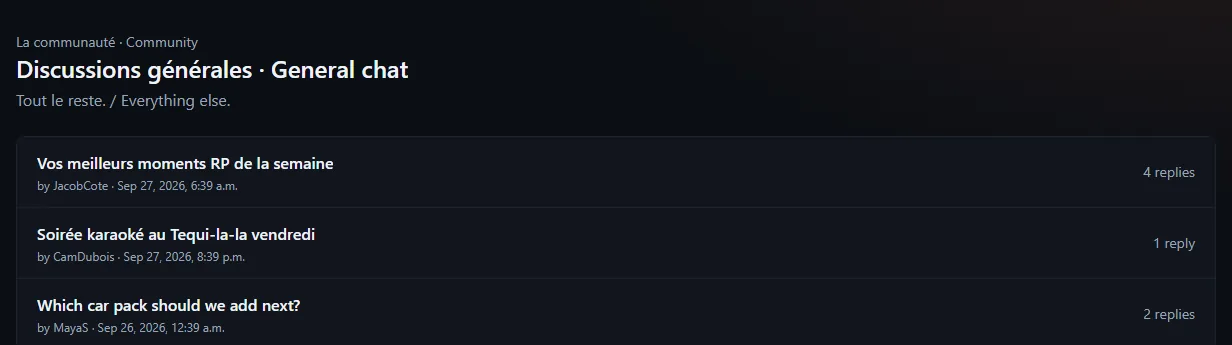
A fresh install creates two categories ("La communauté", "Espace whitelist") and five sections. Everything can be renamed or deleted.
Was this article helpful?
Related articles
- Moderate the forum: hide, archive, mandatory reasonNothing is ever deleted: a post is hidden, a thread is archived, and every action requires a reason sent to the author.
- Groups and permissionsForum groups carry rights (moderate, review applications, manage an MDT department); MDT rights come from the in-game job.
- Site settings and the home pageAdministration → Configuration applies everything live: name, logo, language, public address, theme, Discord, payments, security, map, portal, dealership and tablet.