
Reports, warrants, BOLOs and arrests
The everyday records: each has its page, its attachments, a complete log and a printable version.
Updated on Oct 5, 2026, 1:36 p.m.
On this page
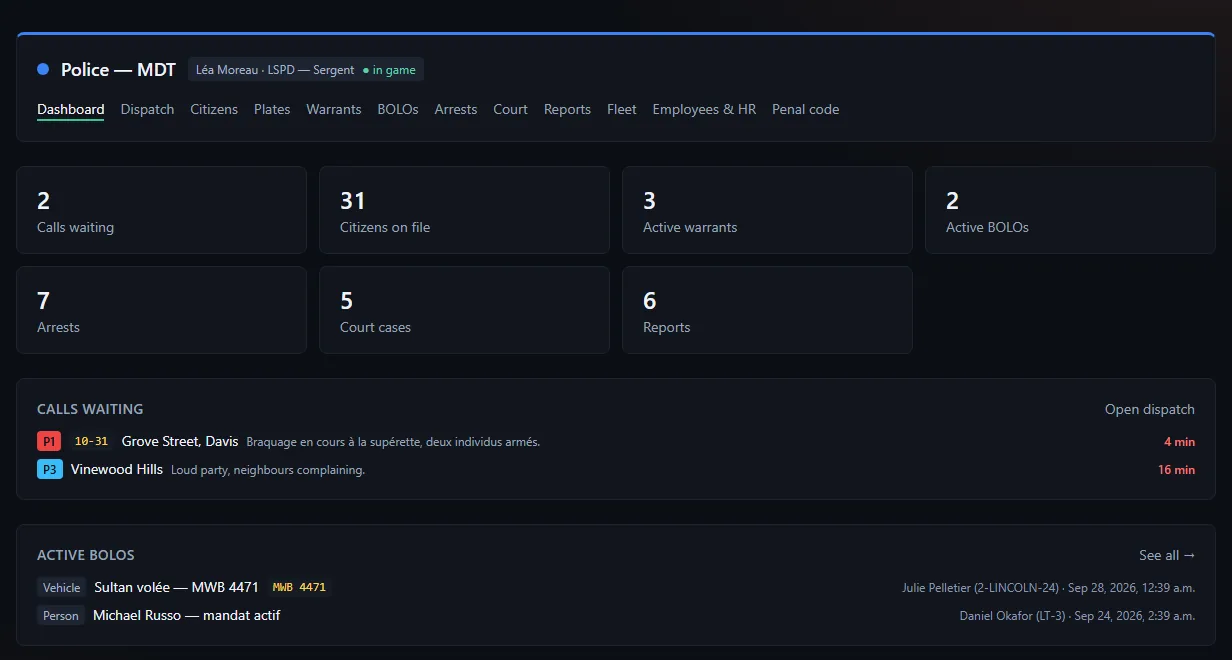
In short. Warrants and arrests start from a citizen's record. Each record has its own page, attachments, a log that tracks every change, and a printable version.
Warrants #
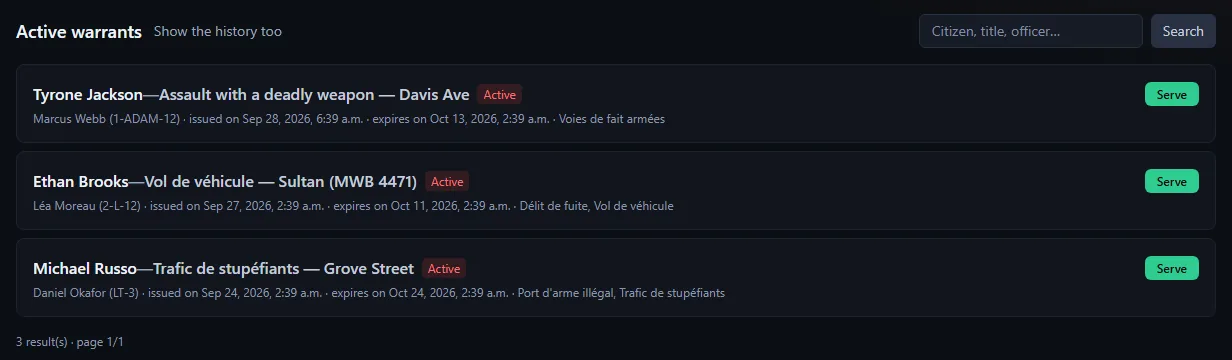
From the citizen's record (Issue / edit a warrant): title, reason, expiry in days (0 = never), charges taken from the penal code.
- Serve a warrant (Serve a warrant) marks it as executed.
- The warrant page lets you edit, serve or cancel it.
- An officer does not touch a warrant aimed at one of their own characters.
BOLOs #
For services where a rank has View BOLOs (usually Police and DOJ). Type (Person or Vehicle), title, description, and the plate (vehicle) or the targeted person (searched among records). A BOLO stays Active until it is Closed. Issue and delete: Issue / edit a warrant; close: Serve a warrant.
Arrests #
From the citizen's record (Record an arrest):
- Incident title and report.
- Tick the charges retained: total sentence and fine are computed automatically.
- Tick Pleads / found guilty if so.
- If needed, Serve their active warrants in one go.
- Attach the approved booking photo, if a recent one exists.
A supervisor (Supervise arrests (correct the charges)) can Correct the charges later, with a mandatory reason. An arrest judged by the court has its verdict sealed: only the court and administrators can change or delete it.
Reports #
A free-form report, tied to the department: title, civilian involved (optional), body text. Permissions Read reports and Write a report. In a created department, reports are only visible to that department.
- Lengths: the title is 200 characters at most, the civilian involved 120. The form fields stop at these limits, instead of refusing your text after sending.
- Your text is no longer lost. If saving is refused (text too long, expired session, game server down, a colleague's correction), the page reloads, but your report is kept in your browser (never sent to the server) and put back into the form with the "Draft restored" banner. A Discard the draft link removes it. The draft belongs to your account and this department (and this report), is erased after a successful save and expires after 2 days. If the report changed since you started, the banner tells you: read it again before saving.
- Two agents on the same report. If a colleague changed the report while you were writing, your save is refused ("This report was just modified by someone else…"): nothing is overwritten, your text stays in the form, read the up-to-date version then save again.
- Deleting a report is reserved to its author and to the department's management (permission Issue / edit a warrant or Delete a citizen record). Old reports with no known author can still be deleted by a writer. Correcting a report stays open to everyone who can write one. Deletion takes the text, attachments and the report's log with it, leaving only a trace in the department log.
Attachments #
Reports, arrests, warrants and BOLOs accept images: PNG, JPEG, WebP or GIF, 5 MB and 10 files per record. The permission required is the record's own. Removing an attachment asks for confirmation (the file leaves the disk); if the file could not be removed (rights, disk), the error is reported instead of being passed over silently.
Confirmations #
Actions that cannot be undone (deleting a record, a report, a warrant; removing an attachment) ask for confirmation on the page itself: the button turns into a sentence, a send button and Cancel (the Esc key cancels too). It is no longer a browser window, which did not always display well in the in-game tablet. The same mechanism protects deleting a forum message, removing an employee, an absence or a fleet vehicle.
The record log #
Every change (title, text, guilty flag, expiry, corrected charges, attachment added or removed) is written to the record log, with officer and date. It survives the deletion of the officer's account.
Print or save as PDF #
On each record: Printable version, then Print / Save as PDF, and pick "Save as PDF" in the print window.
Search the lists #
The arrest, warrant and medical record lists show 25 rows per page, with a search (citizen name, title, officer, at least 2 and at most 80 characters) and a per-record filter. Lists are sorted in a stable order: from one page to the next, no row is skipped or repeated.
Webhooks #
warrant.issued and bolo.created can announce every warrant or BOLO in a Discord channel. See Outgoing webhooks.
Was this article helpful?
Related articles
- Citizen records, plates and licensesCharacters are read live from the game database; the MDT adds notes, photos, warrants, arrests and medical records.
- The penal codeSections and charges with sentence and fine; a starter code is provided, and changing a charge changes the totals of arrests that carry it.
- Booking photos (mugshots) and their approvalAn officer requests the photo, the suspect's game takes it, and it waits under photos awaiting approval until an officer approves or rejects it.
- The court and the criminal recordFile a case, schedule hearings, hand down a judgment that enters the criminal record and flows back to the original arrest; no sentence is applied in game.
- Outgoing webhooksNotify a Discord channel (or an integration) on every application, warrant, BOLO, leave request, thread, update or purchase.